If You Can't Measure It, You Can't Scale It
Every event organizer has been there: the post-event debrief where someone asks, "So, what worked?" and the answers get vague fast. Facebook ads "felt strong." The email campaign "seemed to land." The influencer partnership "drove buzz."
That kind of answer costs you money. Not because the campaigns didn't work, but because you can't tell the ones that did from the ones that didn't, so you keep funding both. Event marketing ROI isn't a line item you report after the fact. It's the operating system for deciding where your next dollar goes.
This guide covers the metrics that actually matter for festival and live event marketing, the formulas behind them, the tools that track them, and how to use the data to make better decisions the next time you're building a campaign plan.
Start with the Number That Matters Most: Event Marketing ROI
Event marketing ROI is the percentage return you get for every dollar spent acquiring ticket buyers. The formula is straightforward:
Event Marketing ROI = ((Ticket Revenue Attributed to Marketing − Marketing Spend) ÷ Marketing Spend) × 100
So if you spent $20,000 on marketing and drove $100,000 in attributed ticket revenue, your ROI is 400%. For every dollar in, you got four dollars out, before paying the platform fees, production costs, and overhead that come out of that revenue.
That's the easy part. The hard part is the word "attributed," and that's where most organizers get tripped up. If you can't tell which channels drove which purchases, you can't calculate real ROI. You're just guessing. The rest of this guide is about getting you to the point where you can answer that question with confidence.
Set Up Attribution Before You Launch the Campaign
Attribution is the chain of custody between a marketing touchpoint (an ad, an email, a social post) and the ticket purchase that followed. Without it, you're flying blind.
The three pieces you need in place before you start spending on marketing:
- UTM parameters on every outbound link. UTMs are the tags appended to URLs that tell your analytics platform where a click came from. At minimum, use
utm_source(the platform, like "facebook"),utm_medium(the format, like "paid-social"), andutm_campaign(the specific promotion, like "spring-presale"). If you don't tag your links, every click shows up as "direct" traffic and attribution breaks. - A Google Analytics 4 (GA4) property with conversion tracking. GA4 tracks the full journey from first click to purchase, across devices and sessions. Connect it to your ticket pages and set up a "purchase" conversion event so you can see which sources drive actual revenue, not just traffic.
- A Meta Pixel (or equivalent) on your ticket pages. The Meta Pixel lets Facebook and Instagram optimize ads for buyers (not just clickers) and enables retargeting of people who visited but didn't purchase. If you're running paid social, this is non-negotiable.
Big Tickets supports native GA4 and Meta Pixel integration on all ticket pages, plus built-in UTM tracking with source and medium reporting directly in your event dashboard. That means you can see which campaign drove each sale without exporting data or building custom dashboards.
The Conversion Funnel: Know Where Buyers Drop Off
A ticket purchase isn't one action. It's a sequence of steps, and attendees drop out at every step along the way. Understanding where the drop-off happens is the difference between fixing the right problem and spending more money on the wrong one.
The standard funnel for a ticket sale:
- Impression. Someone sees your ad, post, or email subject line.
- Click. They click through to your ticket page.
- Add to cart. They select a ticket type and hit purchase.
- Checkout complete. They enter payment info and finalize the order.
Each stage has its own conversion rate, and each rate points to a different diagnosis:
- Low click-through rate (impressions to clicks). Your creative isn't compelling, or you're reaching the wrong audience. Test new images, headlines, or audience targeting.
- Low add-to-cart rate (clicks to cart). Your ticket page isn't converting. Common culprits: slow page load, unclear pricing, missing event details, poor mobile experience.
- High cart abandonment (cart to checkout). Something is breaking at the finish line. Surprise fees, confusing checkout flow, required account creation, or slow payment processing are the usual suspects.
Benchmark ranges vary by event type, audience, and traffic source, but a rough guide for festivals and ticketed live events: a 2–5% overall conversion rate from impression to purchase is typical, with cart abandonment often running 60–70% of people who add tickets. If your numbers fall well outside those ranges, dig into the specific stage that's off.
Customer Acquisition Cost (CAC): What You're Actually Paying Per Buyer
Customer Acquisition Cost is the real-world price of a new ticket buyer. The formula:
CAC = Total Marketing Spend ÷ Number of New Buyers Acquired
If you spent $10,000 on a campaign that drove 500 first-time buyers, your CAC is $20 per buyer. Whether that's a good number depends entirely on how much those buyers spend. If your average ticket price is $75, $20 CAC is great. If your average ticket is $18, you're losing money on every acquisition.
Two variants worth tracking:
- Blended CAC. All marketing spend divided by all buyers, including repeat buyers and organic. Useful for overall budget health.
- Channel CAC. Spend and buyers broken out by channel (paid social, paid search, email, influencer, etc.). This is where the real decisions happen. If Facebook CAC is $15 and Google CAC is $45, you know where the next dollar should go.
Track CAC over the full event cycle, not just at launch. Early-campaign CAC tends to be low (you're harvesting warm demand), while late-campaign CAC climbs as you push into colder audiences. That's normal, but it helps to know the curve so you can set honest budgets.
Lifetime Value (LTV): The Number That Changes Everything
One of the biggest mistakes in event marketing is evaluating a campaign on the first event alone. Most festivals, concert series, and recurring events are repeat-attendance businesses. A buyer who comes back three years in a row is worth far more than the cost of acquiring them once.
Lifetime Value (LTV) is the total revenue a buyer generates across their relationship with your event:
LTV = Average Ticket Spend × Average Number of Events Attended Per Buyer
For a multi-day festival with merchandise and food & beverage revenue, you can expand LTV to include on-site spend. For a concert promoter running 40 shows a year, LTV should account for how many shows the average fan attends in a season.
Why LTV matters: it reframes CAC from a cost into an investment. If your CAC is $30 but the average buyer's LTV is $240, you're paying $30 to earn $240. That's a great business. If your CAC is $30 and LTV is $50, you need to either lower CAC or raise LTV (through upsells, repeat attendance programs, or loyalty incentives).
Channel-Level Metrics That Actually Matter
Once you have attribution, conversion, CAC, and LTV in place, you can drill into channel-specific performance. Here's what to track by channel, and what it tells you:
- Paid social (Meta, TikTok). Cost per click (CPC), click-through rate (CTR), cost per purchase, and Return on Ad Spend (ROAS). ROAS of 3× or higher is generally healthy for event campaigns targeting warm audiences. Below 2× means you're probably losing money after platform fees and production costs.
- Paid search (Google Ads). CPC, conversion rate, and cost per purchase. Branded search queries (your event name) should convert much higher than non-branded queries. If they don't, your ticket page has a problem.
- Email marketing. Open rate, click-through rate, and revenue per email sent (RPE). RPE is the underused metric here. A 1% open rate isn't bad if the clicks convert. A 40% open rate isn't great if no one buys.
- Organic social. Engagement rate, reach, and referral traffic to your ticket pages (via GA4). Engagement is a leading indicator, not a sales metric. Track it, but don't confuse it with revenue.
- Influencer / partnerships. Attributed conversions via unique UTM links or promo codes. If you can't measure it, you can't scale it.
The Big Tickets reporting suite (including our FANalytics capability) surfaces channel-level revenue and conversion data alongside your order data, so you can see which sources drove each sale without bouncing between platforms.
Operational Metrics That Connect Back to Marketing
Most event marketing guides stop at the purchase. That's a mistake. Live events have a second act (the event itself) and what happens there directly feeds the next campaign.
A few operational metrics worth tracking:
- Scan rate (attended vs. sold). What percentage of ticket buyers actually showed up? A 90%+ scan rate is healthy. Below 80% suggests either pricing issues, weather/competing event problems, or buyer confusion about the date/location.
- Repeat attendance rate. What percentage of last year's buyers came back? This is the single best indicator of event health. Growing repeat rates mean the experience is working. Falling rates mean you're buying new audiences to replace ones you're losing.
- Average order value (AOV). Track this by ticket type and over time. A rising AOV means upsells, bundles, and premium tiers are working. A falling AOV means buyers are trading down (or you've cannibalized premium with discounting).
- On-site spend per attendee. For festivals with merchandise, food & beverage, or activations, this metric tells you how much additional revenue each ticket buyer generates. It's a core input to LTV.
Build a Simple Dashboard, Update It Weekly
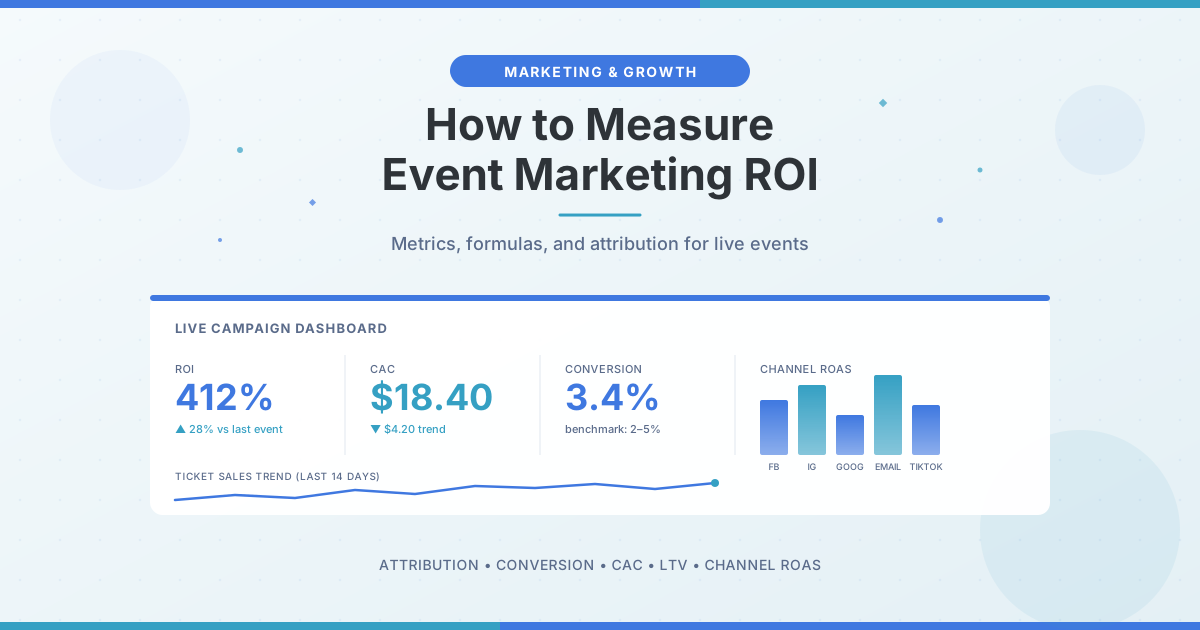
You don't need expensive BI tools to track event marketing performance. A single dashboard with the following rows, updated weekly during your sales cycle, puts you ahead of most organizers:
- Tickets sold to date and percentage to goal
- Revenue to date and percentage to goal
- Marketing spend to date
- Current CAC (spend divided by buyers)
- Channel breakdown (spend and revenue by channel)
- Conversion rate (sessions to purchases)
- Cart abandonment rate
- Week-over-week trends on each of the above
The point isn't the dashboard itself. It's the weekly rhythm of looking at the numbers, noticing what shifted, and making small adjustments before small problems become big ones.
Marketing Metrics Are Tools, Not Trophies
The goal isn't to track every possible number. It's to track the numbers that drive decisions. If a metric doesn't change how you allocate spend, test creative, or plan next year's campaign, it's noise.
Start with ROI, attribution, and CAC. Layer in LTV once you have a second event to compare against. Add channel-level and operational metrics as your team grows. And treat every event as a chance to sharpen the data so next year's campaign starts from a stronger baseline.
Ready to Run a Smarter Event?
Big Tickets helps festivals, fairs, concerts, and live events sell more tickets, streamline operations, and deliver a better attendee experience. No subscriptions, no setup fees.
Request a Demo